
Introduction
Images are everywhere. From scanned documents and handwritten notes to screenshots and photos taken on mobile phones, a lot of important information exists only in image form. The problem is simple. Images cannot be edited, searched, or copied like normal text. This is where image-to-text conversion becomes extremely useful.
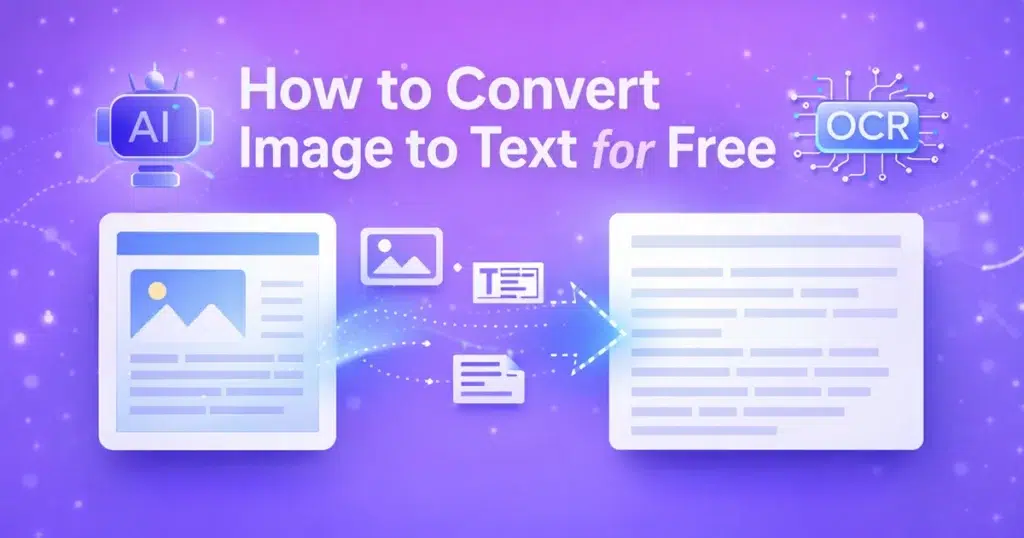
Today, thanks to AI and OCR technology, you can Convert Image to Text Online for Free without installing software or learning technical skills. Online tools now allow anyone to extract text from images within seconds, directly from a browser.
In this guide, you will learn how the EzyToolz Image to Text Tool works, why AI-powered OCR is superior, and how you can get the best results for personal, academic, or business use. Everything is explained step by step, in simple language, so even first-time users can follow along easily.
Key Features of EzyToolz Image to Text Tool
The EzyToolz Image to Text Tool is designed for speed, accuracy, and simplicity. It focuses on real-world user needs rather than complex settings.
Here are its core features:
1. AI-Powered OCR Engine
The tool uses modern Optical Character Recognition technology powered by AI. This allows it to detect characters, words, and sentence structure more accurately than traditional OCR tools.
2. Supports Multiple Image Formats
You can upload JPG, PNG, JPEG, and other commonly used image formats. No need to convert files before uploading.
3. No Registration Required
There is no login, no account creation, and no email verification. You can start using the tool instantly.
4. Fast Text Extraction
The tool processes images within seconds, even for high-resolution files or text-heavy documents.
5. Clean and Editable Output
Extracted text is properly formatted and easy to copy, edit, or paste into documents, emails, or notes.
6. Privacy-Focused
Uploaded images are processed securely and not stored permanently. This makes it safe for sensitive documents.
Step-by-Step Guide to Using the Tool
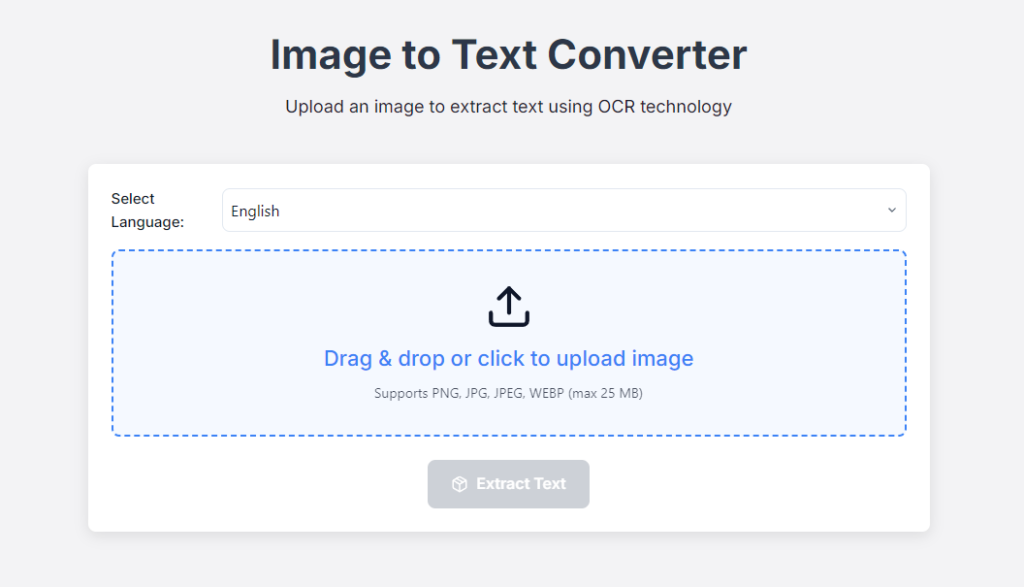
If you want to Convert Image to Text Online for Free, the EzyToolz tool makes the process very straightforward. Here is how to use it correctly.
Step 1: Open the Image to Text Tool
Visit the EzyToolz Image to Text page using any modern browser on desktop or mobile.
Step 2: Upload Your Image
Click the upload button and select an image from your device. Make sure the text in the image is visible and not blurry.
Step 3: Start Text Extraction
Once the image is uploaded, click the “Convert” or “Extract Text” button. The OCR engine will analyze the image.
Step 4: Review the Extracted Text
Within seconds, the extracted text will appear in the output box. Check for formatting and minor corrections if needed.
Step 5: Copy or Download
You can copy the text directly or use it in your documents, spreadsheets, or applications.
That is it. No technical setup, no plugins, and no learning curve.
Why Choose AI-Powered OCR? (Technical Edge)
Traditional OCR tools rely on fixed character patterns. This works well only for clean, printed text but fails with real-world images.
AI-powered OCR, like the one used in EzyToolz, offers major advantages:
Better Character Recognition
AI models learn from millions of text samples. This helps them recognize fonts, handwriting, spacing, and irregular layouts.
Improved Accuracy on Low-Quality Images
Even if an image is slightly blurred or taken under poor lighting, AI can still extract readable text.
Context Awareness
AI understands word structure and sentence flow, reducing errors like broken words or incorrect spacing.
Multi-Language Support
Advanced OCR systems can detect and extract text from different languages and scripts more reliably.
Because of these benefits, users can Convert Image to Text Online for Free with higher accuracy and fewer corrections compared to older tools.
Practical Use Cases
Image-to-text conversion is useful in many real-life situations. Here are some common examples.
Students and Teachers
Convert scanned notes, textbook images, or handwritten assignments into editable text for studying or sharing.
Office and Business Work
Extract data from invoices, receipts, visiting cards, and printed documents for records and reports.
Content Creators and Bloggers
Copy text from screenshots, presentations, or infographics without retyping everything manually.
Job Seekers
Convert resume scans or certificates into text for easy editing and online applications.
Researchers and Analysts
Extract information from charts, reports, or archived documents for faster analysis.
In all these scenarios, being able to Convert Image to Text Online for Free saves time and reduces manual effort.
Best Practices for Best Results
To get the most accurate output from any OCR tool, follow these simple best practices.
Use Clear Images
Ensure the image is sharp, properly focused, and not cropped incorrectly.
Avoid Shadows and Glare
Photos taken under strong light or shadows may affect text recognition.
Use High Resolution When Possible
Higher resolution images produce better OCR accuracy.
Straighten the Image
Tilted or rotated images can confuse OCR engines. Align the image properly before uploading.
Check the Output Once
Although AI is accurate, a quick review helps catch minor spelling or formatting issues.
Following these tips ensures smoother results when you Convert Image to Text Online for Free.
Related FAQs
Is the EzyToolz Image to Text Tool really free?
Yes. The tool is completely free to use without hidden limits.
Does it work on mobile phones?
Yes. The tool works smoothly on mobile browsers as well as desktop devices.
Can it extract handwritten text?
It can recognize clear handwritten text, though printed text usually gives the best accuracy.
Is my data safe?
Yes. Uploaded images are processed securely and not stored long-term.
Can I use it for business purposes?
Yes. You can use the extracted text for personal, academic, or commercial needs.
Conclusion
Converting images into editable text no longer requires expensive software or specialized skills. With modern AI-powered OCR tools, the process is fast, accurate, and accessible to everyone.
The EzyToolz Image to Text tool stands out because of its simplicity, privacy-focused design, and strong OCR performance. Whether you’re a student, professional, or content creator, it helps you save time and work more efficiently.
If you’re looking for a dependable way to convert images to text online for free, this tool is a practical and user-friendly solution that fits real-world needs without complications.