
Hostinger AI tools have been quietly added to the hosting dashboard — and most users have not noticed them yet. Hostinger has recently introduced several of these AI-powered tools aimed at simplifying website design, content creation, and general optimization. While these updates can significantly streamline workflows, many users may not have noticed them yet. Have you taken a moment to explore these new features?
These additions reflect a broader industry trend where AI assists with tasks that used to require separate software or specialized skills. From generating visuals to analyzing user behavior, these tools are designed to handle technical and creative heavy lifting. Let’s dive into what these tools offer and how they might fit into your current workflow.
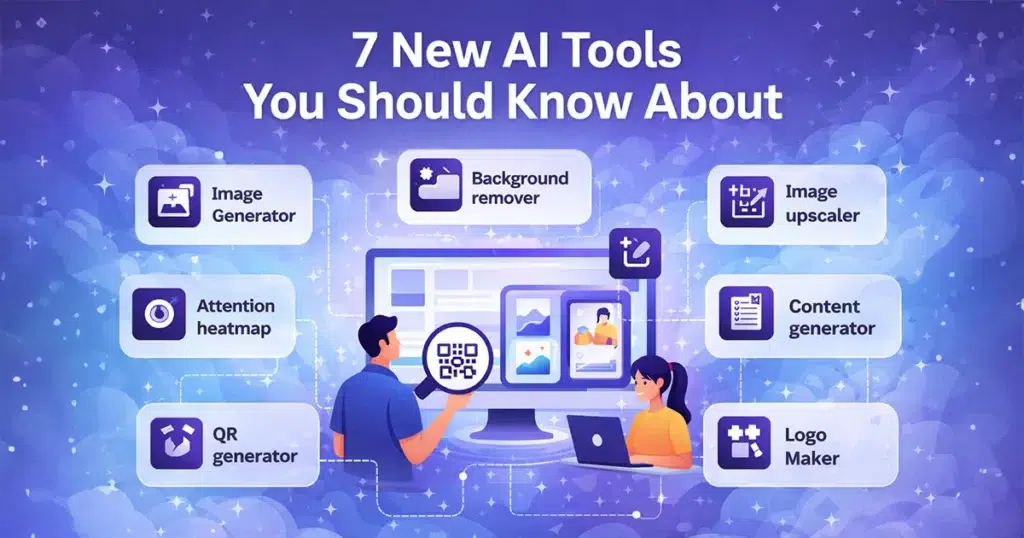
Image Generator – Create visuals from text
The AI Image Generator allows users to create visuals simply by typing text prompts. This tool is particularly useful for producing blog thumbnails, social media posts, banners, and other marketing creatives without needing advanced design skills. For non-designers or those needing quick assets, this feature provides a fast way to produce images. While it offers speed and convenience for basic branding and content needs, it is primarily geared toward efficiency rather than deep, custom artistic design.
Background Remover – Clean images instantly
The Background Remover tool automatically strips away the background from any uploaded image, requiring no manual editing or selection tools. This is incredibly useful for product images, professional profile photos, and thumbnails where you want the subject to stand out. By automating this process, the tool saves significant editing time and helps produce clean, professional-looking results that might otherwise require software like Photoshop.
Image Upscaler – Improve image quality
Working with low-resolution or compressed images is a common issue, but the Image Upscaler aims to fix this by using AI to enhance clarity and sharpness. This tool is helpful for revitalizing old images or reusing web assets that are too small or blurry for high-quality displays. Whether you are preparing images for a website, a presentation, or print, the upscaler improves visual quality without requiring you to redesign or recreate the original image.
Attention Heatmap – Understand user behavior
The Attention Heatmap is a slightly more advanced utility designed to visualize where users click, scroll, or focus on a specific page. By showing these patterns, it helps website owners understand visitor behavior in a tangible way. This data is essential for improving landing pages, optimizing conversion rates, and making informed decisions about user experience (UX) and layout changes. Consequently, this tool is best suited for marketers and business owners looking to refine their site’s performance.
QR Code Generator – Simple but practical
The QR Code Generator provides a quick way to create QR codes for URLs, text, or other data directly within the hosting environment. This feature has practical applications for marketing campaigns, business cards, and events where bridging offline and online experiences is necessary. It offers a quick setup process, allowing users to generate functional codes without external tools, making it a handy utility for connecting physical media to digital resources.
Logo Maker – Quick branding starter
The Logo Maker is designed to help users create simple logos using templates and AI assistance. It is built for speed and ease, making it a solid option for startups and small projects that need immediate branding. While it is useful as a starting point to get ideas quickly, it is important to note that it is not a replacement for a full brand identity design developed by a professional.
Who Should Use Hostinger AI Tools?
These AI utilities cater to a wide range of users, particularly those managing their own sites without large teams. This includes bloggers needing quick images, small business owners optimizing product photos, and freelancers juggling multiple roles. Additionally, beginners building their first website and marketers managing campaigns will find specific tools within this lineup that can help save time and reduce the technical barrier to entry.
Hosting-based AI tools vs online tools
When comparing hosting-based tools to standalone online tools, there are distinct differences in accessibility and flexibility. Hosting-based tools, like those added by Hostinger, usually require an active account and may operate on a credit-based system. They offer the convenience of an all-in-one dashboard. On the other hand, standalone browser-based tools often offer more flexibility and specialized features without requiring a hosting subscription. Each approach has its own use cases, and the best choice depends on whether a user prefers an integrated ecosystem or the freedom of individual, dedicated platforms.
If you are looking for image tools, QR code generators, or PDF utilities without needing a hosting account, EzyToolz has all of these as standalone browser-based tools — free, no signup, no credit system. The Image Upscaler, Background Remover, and QR Code Generator are all available directly at ezytoolz.com.
Try Free Image & PDF Tools at EzyToolz →
How to Access These Tools
Finding these AI utilities is straightforward, as they are integrated directly into the Hostinger control panel. Once you are logged into your hPanel, the primary location for most of these tools is the “AI Website Builder” or the “AI Tools” section located in the sidebar or on the main dashboard.
For users managing a specific website, many of these features – such as the Image Generator, Background Remover, Image Upscaler, and Logo Maker—are also accessible directly within the website editor. Simply open your site’s editor, look for the “AI” or “Generate” icons in the toolbar or image settings menu to use these functions while working on your pages. The Attention Heatmap is typically found under the website analytics or tools section for your specific domain. If you have trouble locating a specific tool, using the search bar at the top of the hPanel is the quickest way to navigate to the right feature.
According to Hostinger’s official blog, these tools are available across most plans.
Conclusion: Final thoughts
AI tools are becoming standard features across web hosting platforms, and Hostinger’s recent additions reflect this growing trend. By automating tasks like image editing and providing insights into user behavior, these utilities aim to make website management more accessible. Knowing what tools exist helps users make better choices about which features to integrate into their daily workflows.
Note: These tools are available to Hostinger users, and some may operate on a credit-based system depending on the plan.
Which of these tools would you try first?