
A year ago, generating a good AI image meant learning complex prompts and getting inconsistent results. In 2026, that gap has closed dramatically. The best tools now produce images that are genuinely hard to distinguish from professional photography or illustration — and they do it in seconds.
Bloggers and YouTubers use these tools heavily — and for good reason. A scroll-stopping thumbnail that used to take 20–30 minutes in Photoshop now takes under 2 minutes with the right AI tool. Pick a style, describe what you want, generate, drop it into Canva, add your title text, done. The tools below are exactly what creators are using right now to build that workflow.
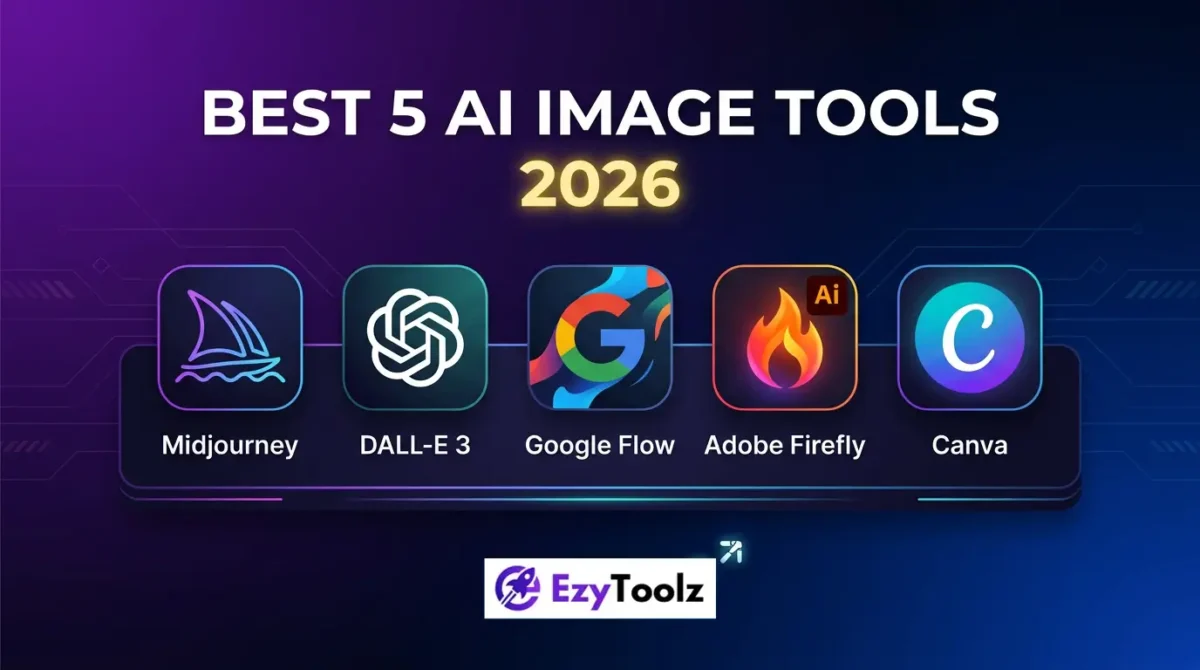
The hard part is no longer getting a decent image. It’s knowing which tool to use for what. Midjourney, Google Flow, ChatGPT’s image generator, Adobe Firefly, and Canva AI all work well — but they’re built for different workflows and different people.
Here’s an honest breakdown of each one.
1. Google Flow — Best Free All-in-One Creative Studio
Google Flow launched in 2025 and quietly became one of the most capable free AI creative tools available. In February 2026, Google merged two of its experimental tools — Whisk and ImageFX — directly into Flow, making it a single workspace for image generation, editing, and video creation.
What makes it stand out: Flow uses Google’s Nano Banana image model, which produces high-fidelity images that can immediately be used as the basis for Veo-generated videos — without switching tools. You can generate an image, edit specific parts using a lasso tool and plain-language prompts (“remove the background”, “add fog”), and animate it into a video clip, all in the same interface.
The lasso-based editing is particularly impressive — you select a region of the image and describe what you want changed in natural language. It works better than expected.
Pricing: Free tier available at flow.google. Paid plans start from $7.99/month (Google AI Plus) for higher usage limits.
Best for: Content creators, marketers, and filmmakers who want to go from image to video without juggling multiple tools. The free tier is genuinely useful for casual use.
Limitation: No custom footage upload yet. You can’t bring your own video into the editor — only images from the Flow library.
2. Midjourney — Best for High-Quality Artistic Images
Midjourney remains the benchmark for visual quality when it comes to artistic and cinematic images. Version 7 improved realism, added personalization features that adapt to your visual preferences over time, and introduced motion capabilities for turning still images into short animated clips.
What makes it stand out: If you need images with dramatic lighting, rich textures, and strong visual impact — for branding, advertising concepts, editorial use, or digital art — Midjourney still produces the best results of any tool. The level of detail and compositional quality is consistently higher than most competitors.
It also has the most active community of any image tool. If you’re looking for prompt inspiration or want to see what’s possible, the Midjourney feed is worth browsing regularly.
Pricing: No free tier. Starts at $10/month for Basic (200 images/month), $30/month for Standard (unlimited relaxed generations).
Best for: Designers, digital artists, brands, and agencies who need high-end visuals and are willing to invest time in learning prompting.
Limitation: Operates on Discord, which feels clunky compared to browser-based tools. There’s a learning curve to prompting well.
3. ChatGPT Image Generation (DALL-E / GPT-4o) — Best for Quick, Accurate Results
ChatGPT’s image generation — now powered by GPT-4o’s native image capabilities — has taken a significant step forward. It’s more tightly integrated with the conversation flow, so you can describe an image, get a result, and then refine it through follow-up messages in natural language. No special prompt syntax needed.
What makes it stand out: The prompt accuracy is excellent. Complex requests — “a flat lay of coffee equipment on a white marble surface, morning light from the left, minimal style” — come out closer to what you described than most other tools. It’s particularly strong for product visuals, illustrations, and images that need specific compositional details.
The integration with text is also useful — you can generate an image as part of a broader workflow (writing a blog post, creating a presentation) without switching apps.
Pricing: Available in ChatGPT Plus ($20/month). Free users get limited access.
Best for: Writers, marketers, and non-designers who want accurate results without learning a separate tool or complex prompting.
Limitation: Style range is narrower than Midjourney. Very photorealistic or highly artistic outputs are not its strongest suit.
4. Adobe Firefly — Best for Commercial and Professional Use
Adobe Firefly is built differently from every other tool on this list. Its models are trained exclusively on licensed Adobe Stock content, meaning every image you generate is commercially safe — no copyright concerns for professional work.
What makes it stand out: The Image Model 4 update in 2026 improved realism and prompt accuracy significantly. But Firefly’s real advantage is its integration with the Adobe ecosystem. Generate an image in Firefly, and it flows directly into Photoshop, Illustrator, or Premiere. The Generative Fill and Expand features inside Photoshop are now mature and genuinely production-ready.
Adobe also launched Firefly Boards in 2026 — an AI moodboarding tool that supports not just Firefly’s own models but third-party tools like Midjourney, Runway, and Luma. If you’re already in the Adobe ecosystem, Firefly makes AI image generation feel like a natural extension of your existing workflow.
Pricing: Included in Creative Cloud plans (from ~$55/month). Standalone Firefly access is available with limited free credits.
Best for: Professional designers, agencies, and businesses that need commercially safe images and tight integration with professional design software.
Limitation: Expensive if you only need image generation and don’t use other Adobe tools. Free tier credits run out quickly.
5. Canva AI (Magic Studio) — Best for Non-Designers
Canva has always been the tool for people who need to create visuals without being designers. Magic Studio, its AI suite, extends that same principle to image generation. You generate an image and immediately drop it into a social media template, presentation, or poster — all within the same interface.
What makes it stand out: The tight integration is what separates Canva AI from every other tool here. You’re not just generating an image — you’re generating it inside a design. Once the image appears, you can swap it into a template, resize it for Instagram or LinkedIn, add text with Magic Write, and download in one sitting.
For small businesses, bloggers, and social media managers who need a consistent flow of visual content without deep design skills, Canva AI removes more friction than any other tool.
Pricing: Free tier available with limited AI generations. Canva Pro at $15/month unlocks full Magic Studio access.
Best for: Small businesses, content creators, social media managers, and anyone who needs to produce consistent visual content quickly.
Limitation: Less creative control than Midjourney or Firefly. If you have very specific artistic requirements, you’ll hit the ceiling quickly.
Quick Comparison
| Tool | Best For | Free Tier | Starting Price |
|---|---|---|---|
| Google Flow | Image + video in one workflow | ✅ Yes | $7.99/month |
| Midjourney | High-quality artistic images | ❌ No | $10/month |
| ChatGPT Image | Quick, accurate results | Limited | $20/month |
| Adobe Firefly | Commercial/professional use | Limited credits | ~$55/month |
| Canva AI | Non-designers, social content | ✅ Yes | $15/month |
Which One Should You Use?
If you’re just starting out and want to explore without spending money — Google Flow and Canva AI both have functional free tiers.
If visual quality is your priority and you’re willing to invest time learning — Midjourney is still the best.
If you’re a professional working in a team or for clients and need commercial safety — Adobe Firefly is the only tool with a clear answer on licensing.
If you’re already using ChatGPT for writing and want images integrated into that workflow — the ChatGPT image generator is the path of least resistance.
Most people who create content seriously end up using two or three of these depending on the task. That’s not a problem — it’s just how the current tooling works.
Free Image Tools on EzyToolz
If you’re working with existing images rather than generating new ones — compressing, converting, resizing, or extracting text — EzyToolz has free browser-based tools for all of these:
- Image Compressor — reduce image file size without losing quality
- Image to PDF — convert any image to a PDF instantly
- Text to Image — generate simple text-based graphics
- Passport Photo Maker — crop and resize photos to passport size standards
No signup, no upload limits. All tools run directly in your browser.