The EzyToolz text case converter online lets you change the capitalization of any text in one click — UPPERCASE, lowercase, Title Case, Sentence case, or alternating case. Paste your text, click a button, copy the result. No signup, no software.
It sounds simple — and it is. But the tool also includes a few extra features that make it useful beyond basic case switching: Find & Replace, word and character counters, duplicate line removal, and word frequency analysis.
Text Case Converter Online — All Case Types Explained
Here is what each conversion option does and when you would actually use it:
| Case Type | Example Output | When to Use |
| UPPERCASE | HELLO WORLD | Headings, abbreviations, emphasis in CTAs |
| lowercase | hello world | Code variables, database entries, URLs |
| Title Case | Hello World | Article headings, book titles, H1/H2 tags |
| Sentence case | Hello world | Normal paragraphs, email subject lines |
| Capitalize Each | Hello World | Names, product names, proper nouns |
| Alternating Case | hElLo WoRlD | Creative content, social media, memes |
| Toggle Case | HeLLo wORLd | Flip existing capitalization in one click |
| Title Case vs Capitalize Each Word — what is the difference? Title Case follows standard English rules — it skips small words like ‘a’, ‘the’, ‘of’, ‘in’. Capitalize Each Word capitalizes every single word including those. For article headings and blog titles, Title Case is the correct choice. For names and product labels, Capitalize Each Word works better. |
How to Use the Tool — Step by Step
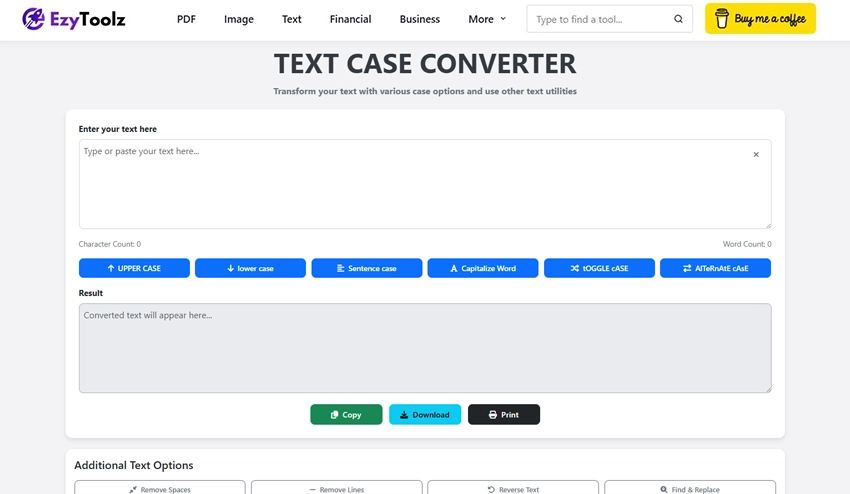
- Open the tool: Go to ezytoolz.com/text/case-converter/ in your browser.
- Paste or type your text: Click inside the input box and paste any text — a sentence, a paragraph, a list, or an entire document.
- Click the case button you need: UPPER CASE, lower case, Title Case, Sentence case, Capitalize Each Word, Alternating Case, or Toggle Case.
- Check the result: The converted text appears instantly in the result box below.
- Copy, download, or print: Use the buttons under the result box to copy the text to clipboard, download it as a .txt file, or print it directly.
Who Actually Uses a Text Case Converter?
More people than you would expect. Here are the most common use cases:
- Writers and editors: Fixing headings that were typed in the wrong case. Converting pasted content from different sources into consistent formatting. Checking that all H2 headings follow Title Case style.
- Students: Essay headings, bibliography entries, and reference lists all have specific capitalization rules. Converting quickly saves time and avoids manual errors.
- Developers and data analysts: Normalizing text data — converting user input to lowercase for consistent database storage, or cleaning up all-caps output from legacy systems.
- Digital marketers and SEO: Meta titles and H1 headings should follow Title Case for readability and professionalism. The tool converts a draft heading instantly.
- Social media managers: Testing different capitalization styles for ad copy and captions — UPPERCASE for urgency, Title Case for announcements, sentence case for conversational posts.
Extra Features Beyond Case Conversion
The tool includes several additional text editing and analysis features in the same interface:
Find & Replace
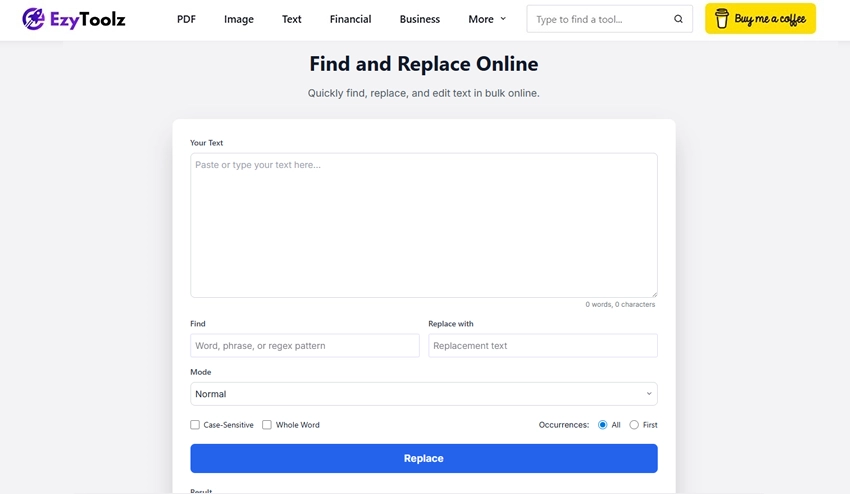
Find any word or phrase in your text and replace it with something else — in bulk, instantly. Useful for fixing recurring typos, replacing placeholder text, or updating a name across a long document without going through it line by line.
Remove Extra Spaces
Collapses multiple consecutive spaces into single spaces throughout the text. Useful when cleaning up text copied from PDFs or web pages, which often include extra whitespace.
Remove Duplicate Lines
Scans your text and removes any lines that appear more than once. Useful for cleaning up lists, removing repeated entries from copied data, or tidying up logs and outputs.
Word and Character Counter
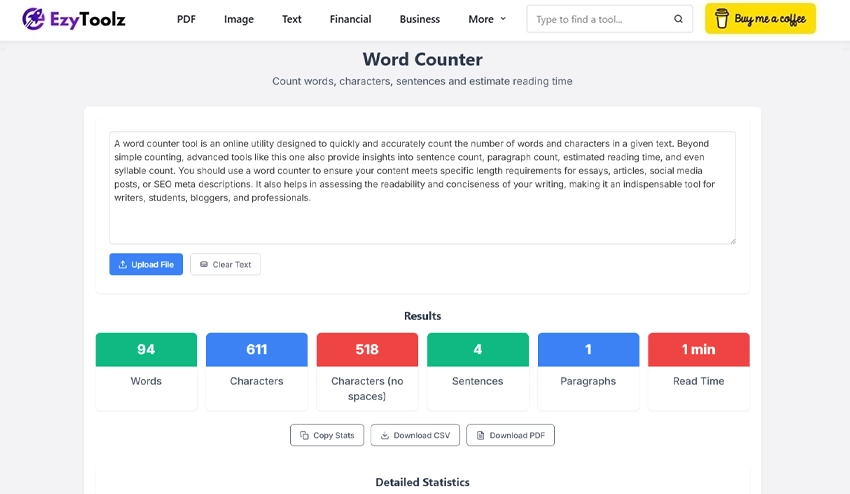
Counts total words, characters (with and without spaces), sentences, and paragraphs — all updated in real time as you type or paste. Same functionality as the standalone Word Counter tool, available directly inside the case converter.
Word Frequency Analysis
Shows how often each word appears in your text, ranked from most to least frequent. Useful for writers checking overused words, SEO checking keyword density, or anyone analysing a piece of text for patterns.
Flip Text / Reverse Text
Reverses the order of characters in your text. Primarily a fun or creative feature — useful for social media captions, puzzles, or anywhere you want mirrored text.
| Your text never leaves your browser All processing in the EzyToolz text case converter happens locally in your browser using JavaScript. Nothing is sent to a server. This means your text — whether it is a confidential document, client data, or personal notes — stays completely private. |
Frequently Asked Questions
What is a text case converter?
A text case converter is a tool that changes the capitalization style of text. You paste your text, select a case format — UPPERCASE, lowercase, Title Case, Sentence case, or others — and the tool converts it instantly. No manual editing needed.
What is the difference between Title Case and Sentence case?
Title Case capitalizes the first letter of each major word — like a book title or article heading. Sentence case only capitalizes the first letter of the first word in a sentence, like normal writing. Most blog headings use Title Case; body text uses sentence case.
Can I convert an entire document at once?
Yes. Paste the full text of a document into the input box — there is no character limit. The tool converts the entire text in one click.
Does the tool work on mobile?
Yes. The EzyToolz text case converter works in any mobile browser — Chrome or Safari on Android or iPhone. The interface is responsive and works on smaller screens.
Is the text case converter free?
Yes — completely free, no account needed, no usage limits. Open the tool and use it as many times as you want.
What is alternating case used for?
Alternating case switches between uppercase and lowercase for each letter — like tHiS. It is mostly used for creative social media posts, memes, or anywhere you want an unconventional visual style. It has no standard professional use.
One Tool, All the Case Formats You Need
The EzyToolz text case converter online handles everything from a quick UPPERCASE conversion to detailed word frequency analysis — all in one place, free, with no account required. Whether you are formatting a heading, cleaning up copied text, or normalising data, the tool gets it done in one click.
Bookmark it so it is there when you need it.